
The things that set business accounts apart in 2020 are standard now. Here are the five questions that reveal which account is right for your business in 2026.
At a glance
- Features like apps, integrations and branch access are now standard across most business accounts.
- The best accounts put your money to work by earning rewards and reducing admin.
- Strong accounts help in tough months, offer card control, and run entirely from your phone.
If you’re researching the best business account online, you’ll come across different flavours of the same advice: compare the fees, check if it syncs with your accounting software, make sure the app is any good. None of that is wrong, but in 2026 almost every account clears that bar. To find the best fit, we’ve pulled together five questions you can use to put any account to the test, including the one you already have.
Does the money already flowing through your account earn you anything back?
According to Prospa research, 61% of Australian SMEs collect business loyalty points or rewards, and 43% have redeemed them in the past year.
Business account rewards in small business banking have mostly lived on credit cards, or on third-party platforms that route your payments through a card for a fee. Everyday account activity, paying suppliers by bank transfer, settling bills by BPAY, tapping the debit card, usually earns nothing, even though 42% of SMEs say points help their business save money and unlock extra value.
So the account to shortlist is the one that rewards those everyday payments, transfers, BPAY and bills, not just credit-card spend.
Does it save you admin?
Bookkeeping is where the hours quietly go. Every account plugs into accounting software these days, so the feed itself is a given, and what counts is how much of the matching, chasing and re-keying the account handles before you even log in.
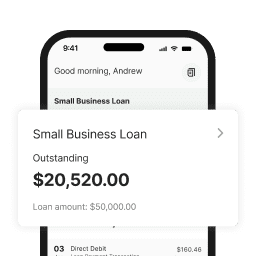
That difference shows up in a handful of business account features. Does it reconcile cleanly, so your books are close to done by the time you look at them? Can you pay and schedule bills from the same place you check your balance? Can you see your whole cash position, the account alongside any loan or business line of credit, in a single view rather than logging into three separate systems?
The best accounts take care of most of that in the background, before you ever sit down to your books.
Can it help you through a tight month, not just record one?
Every business hits these hiccups: a big client paying late, a quiet month between two busy ones, or a supplier asking to be paid before your own invoices clear. When they arrive, most accounts simply show you the shortfall.
Accounts from fintech lenders let you see that gap coming and your funding options right beside your balance, instead of starting a fresh application from scratch. That might be a cash flow lending facility or a business line of credit you draw on and repay as the money moves. A tight month becomes something you can plan for rather than react to.
How fast can you lock things down if a card is compromised?
Card fraud on Australian cards totalled $854 million in the year to June 2025, according to AusPayNet. What matters is how much you can do yourself in the moment, without waiting on hold. The best accounts let you:
- Freeze and unfreeze the card from the app the second something looks off
- Turn off contactless, change a PIN or report a card lost, without a phone call
- Keep others out with strong authentication, like biometric or two-factor login
Most providers offer some of this now, but they vary in how quickly and how easily you can act.
Is it built for how you run your business today?
The way you run a business bank account in Australia has changed: owners increasingly manage everything from their phone, approving payments between jobs and taking card payments on the spot. To know if the account you’re considering is built for that, test it against how you actually work.
Can you open it and start transacting in minutes, and run the whole thing, including taking payments, from your phone? Does the card sit in Apple Pay and Google Pay, and does the provider keep shipping improvements rather than letting the app gather dust? If you are starting fresh, our guide to setting up a business account walks through the steps.
Putting the Prospa Business Account to the test
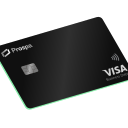
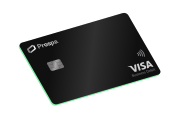
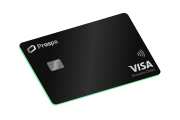
The recently launched Prospa Business Account with Rewards was built for how small businesses operate now. It lets you earn one Prospa Point per dollar on everyday payments, including BPAY, bank transfer and the Prospa Visa Business Debit Card, with points going to gift cards or converting to Qantas Points with Qantas Business Rewards. Rewards are opt-in and carry a 1% fee plus GST while switched on. Because Prospa is a lender first, funding like a business line of credit sits beside the account for the months that turn tight.
Day to day, it connects to Xero, pays bills through Bill Pay, works with Apple Pay and Google Pay, and lets you freeze the card and manage controls from the app.