
At a glance
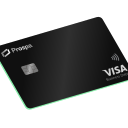
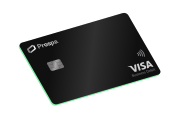
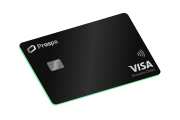
- The Prospa Visa Business Debit Card can pay any merchant that accepts Visa.
- Overseas supplier payments can often be made online using your business debit card.
- Choosing the local currency at checkout may help you avoid exchange rates set by the merchant’s payment provider.
Paying an overseas supplier can feel like a hassle, but if your supplier accepts card, the process is straightforward. A business debit card like the Prospa Visa Business Debit Card lets you pay any merchant that accepts Visa, online or in person, without setting up a separate international payment system. Noting all transactions in foreign currencies will be converted into Australian dollars and will be processed using the foreign exchange rate determined by Visa at the time of settlement.
The key is knowing when a card payment works and when you need a different approach. Here is a step-by-step guide to paying overseas suppliers with a business debit card, plus what to do when a card will not work.
Check whether the supplier accepts Visa
The first step is to confirm that your supplier accepts Visa. Most online suppliers, software platforms, and marketplaces do, but some smaller or specialised suppliers may only accept bank transfers or other payment methods.
If you are paying through an online checkout, look for the Visa logo or a card payment option. If you are paying in person, check whether the terminal displays the Visa acceptance mark. If the supplier accepts Visa, you can pay with your Prospa Visa Business Debit Card the same way you would pay any Australian merchant.
If the supplier does not accept Visa, a card payment is not an option. You will need to use an international bank transfer or another payment method, which we cover in the final section.
Confirm the transaction currency and total
Before you pay, confirm the currency and the total amount. Overseas suppliers often price in their local currency, such as U.S. dollars, euros, or pounds. Some may offer to bill you in Australian dollars, but that is not always the best choice.
Check the invoice or checkout page for:
- The currency the supplier is charging in
- The total amount, including any taxes or shipping
- Whether the supplier adds a surcharge for card payments
Knowing the currency helps you understand what you are actually paying. When you make a card transaction in a foreign currency, the transaction converts to Australian dollars at Visa’s rate at settlement. The Prospa Visa Business Debit Card charges no foreign transaction fee on eligible card payments, so you avoid that extra cost.
Choose the local currency when given a dynamic currency conversion option
At an overseas terminal or an online checkout, you may see an option to pay in the local currency or in Australian dollars. This is called dynamic currency conversion (DCC), and the choice matters.
In many cases, businesses prefer to choose the local currency. Here is why:
- When you choose the local currency, the card network, such as Visa, handles the conversion at their rate
- When you choose Australian dollars, the merchant’s payment provider does the conversion, and they may apply a less favourable rate or add their own margin
The difference can be small on a single transaction, but it adds up across regular overseas payments. Choosing the local currency keeps the conversion transparent and tied to the Visa rate.
Keep the receipt and transaction record
Once you have paid, keep a record of the transaction. This helps with bookkeeping, reconciliation, and any disputes that may arise later.
You should ideally look to save:
- The receipt or confirmation email from the supplier
- The transaction details from your Prospa Business Account, including the date, amount, and currency
- Any invoice or purchase order associated with the payment
Because the Prospa Visa Business Debit Card is linked to your Prospa Business Account, all your card spending appears in one place. That makes it easier to track overseas payments alongside your everyday business expenses.
What to do when the supplier only accepts an international transfer
Not every supplier takes card. Some, particularly manufacturers or larger suppliers, may require payment directly into their bank account. This is where the Prospa Visa Business Debit Card reaches its limit.
It is important to understand the distinction:
- The Prospa Visa Business Debit Card can pay Visa merchants. If the supplier accepts Visa, you can pay by card, online or in person (Fees apply).
- The Prospa Business Account cannot send a payment to a foreign bank account. If the supplier requires an international bank transfer, the Prospa Business Account cannot do this.
When a supplier only accepts an international transfer, you will need a different tool. A multi-currency account or a specialist transfer provider can send funds directly to a foreign bank account. These products handle that specific job, and they are worth setting up if your business regularly pays suppliers who do not take card.
For the majority of small businesses, though, card-based payments cover most overseas spending. Software subscriptions, online services, freelance platforms, and many suppliers accept Visa, and the Prospa Visa Business Debit Card handles those payments without an extra foreign transaction fee on eligible purchases.